Compliance & Security
Enterprise Security Infrastructure for Small Business — Without Enterprise Pricing
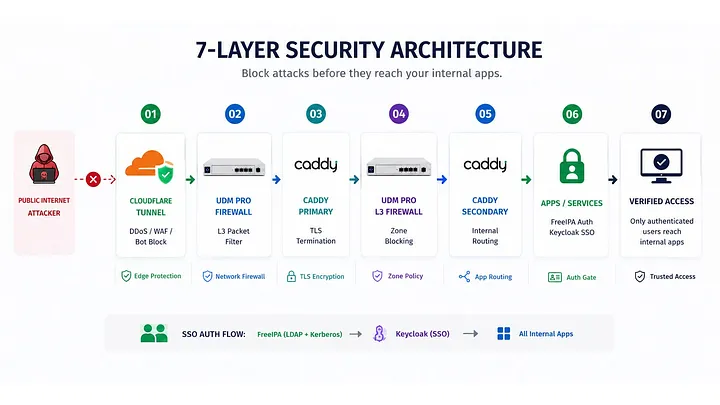
7-layer enterprise security — Cloudflare Tunnel, UDM Pro, Proxmox, FreeIPA SSO, and Zero Trust principles. Built for ...
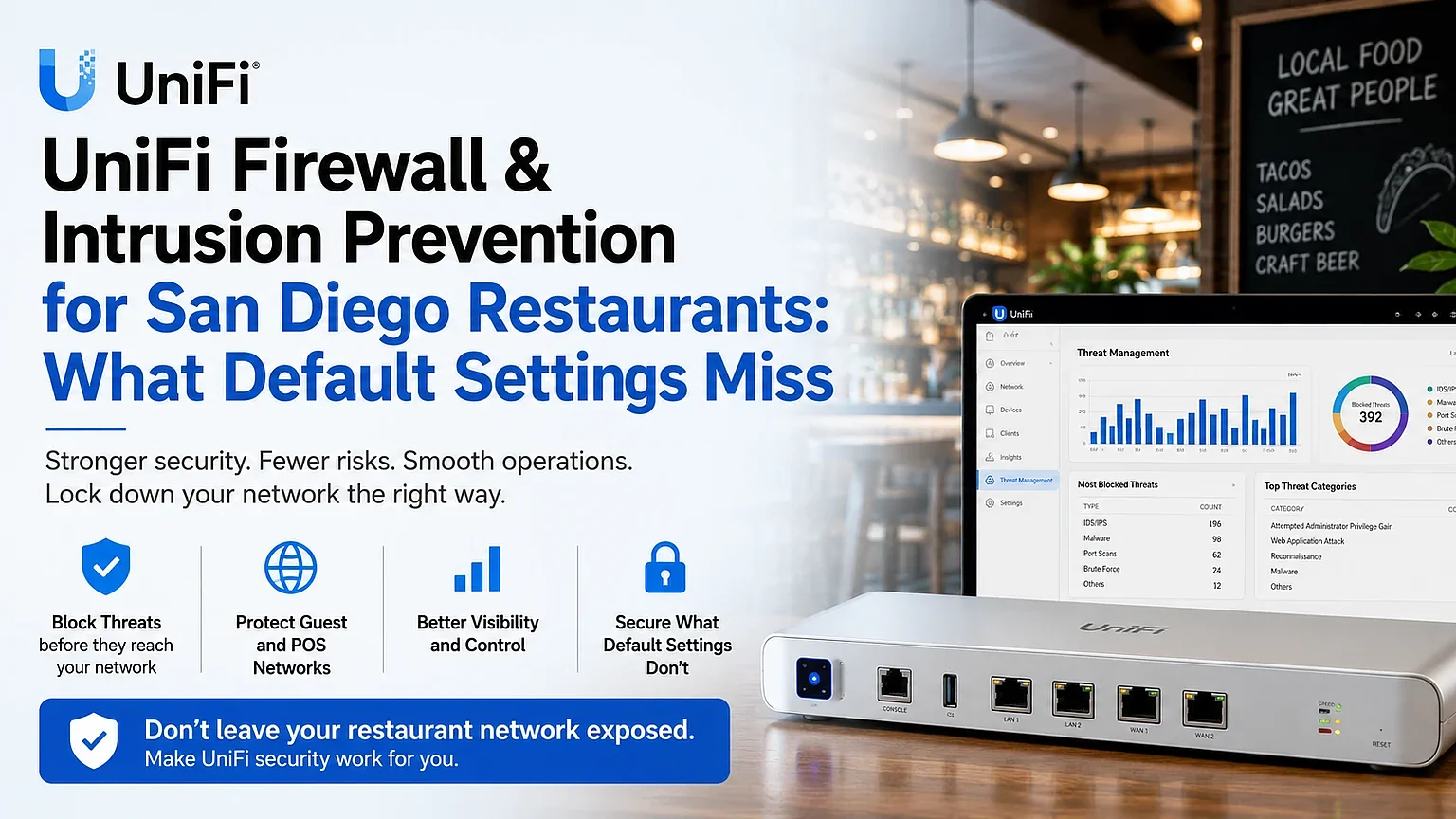
Default UniFi settings leave your POS exposed. MKR Systems configures IDS/IPS and VLAN firewall rules for San Diego restaurants. Free audit.
1 in 5 small businesses cannot survive a network breach that costs as little as $10,000. The average SMB doesn't have a firewall — it has a router with default settings.
Why Intrusion Prevention Matters
Enabling Intrusion Prevention on your UniFi network delivers real-time protection from both external attacks and internal infections.
When active, UniFi's Intrusion Prevention (powered by Suricata) inspects every packet passing through your network — blocking known attack signatures, malware callbacks, and lateral movement attempts before they reach your POS terminals or cardholder data. It is one of the most powerful defenses available to an SMB, and it costs nothing extra on a UDM Pro.
The SMB Security Reality
Small businesses are disproportionately targeted by network intrusions precisely because their defenses are weaker than enterprise targets. A restaurant or retail store with a flat network, default firewall rules, and no Intrusion Prevention is a low-effort target. The VikingCloud 2025 SMB Threat Landscape Report found that 1 in 5 SMBs cannot survive a breach costing $10,000 — and the average breach costs far more.
UniFi Security Stack
UDM Pro includes a stateful firewall. Properly configured inter-VLAN rules block unauthorized traffic between POS, guest, and staff networks. Default installation does not enable these rules — configuration is required.
Per-VLAN enforcementUniFi's Threat Management (powered by Suricata) scans every packet for known attack signatures and blocks threats in real time — stopping external attacks and internal infections before they spread. Requires a UDM Pro or UDM SE — not available on basic routers.
Signature-based blockingUniFi's built-in DNS filtering blocks known malicious domains, phishing sites, and C2 (command-and-control) servers. Applied per-VLAN — stricter rules on guest networks, lighter rules on internal staff networks.
Domain-level blockingUniFi's dashboard logs traffic by device, VLAN, and application. Anomaly alerts notify on unusual upload volumes, new devices on protected VLANs, and blocked intrusion attempts — in real time.
Continuous visibilityPCI DSS Requirement 11 mandates that merchants test security systems and processes regularly — including intrusion detection. UniFi's Intrusion Prevention, when properly configured, satisfies this requirement with logged, reviewable threat data. A restaurant running a flat network with no Intrusion Prevention fails this requirement and is exposed to both card data theft and PCI audit findings.
Configuration vs. Default
MKR Systems Approach
Security configuration is not optional and not an add-on. Every MKR UniFi installation includes Threat Management enabled, inter-VLAN firewall rules applied, DNS filtering per-VLAN, and alert routing to your preferred notification channel. We document the configuration for PCI audit purposes.
We'll review your current UniFi configuration and identify firewall and Intrusion Prevention gaps — at no cost.
☎️ Call 888-382-5164 Get My Free Statement Audit →MKR Systems is an authorized Fiserv / Clover reseller and AT&T Business agent. All analysis, recommendations, and cost models in this article are independently produced by MKR Systems based on publicly available data and our direct operational experience. Third-party data sources are cited as listed above. MKR Systems is not affiliated with, endorsed by, or acting on behalf of Fiserv, Clover, Ubiquiti, 3CX, or any other vendor mentioned herein for the purposes of this publication.
No — Threat Management is off by default and most installs never enable it. It must be turned on under Settings → Security → Threat Management on a UDM Pro/SE, which MKR does on every deployment.
It's included in the UDM Pro (~$379 one-time hardware) — no extra license. Given VikingCloud's 2025 finding that 1 in 5 SMBs couldn't survive even a $10,000 breach, a single prevented incident pays for the hardware many times over.
On a UDM Pro at typical restaurant bandwidth, the inspection overhead is not noticeable in day-to-day POS and guest Wi-Fi use.
MKR Systems
One local partner for Southern California restaurants & retailers.